Review photo harvester for product pages
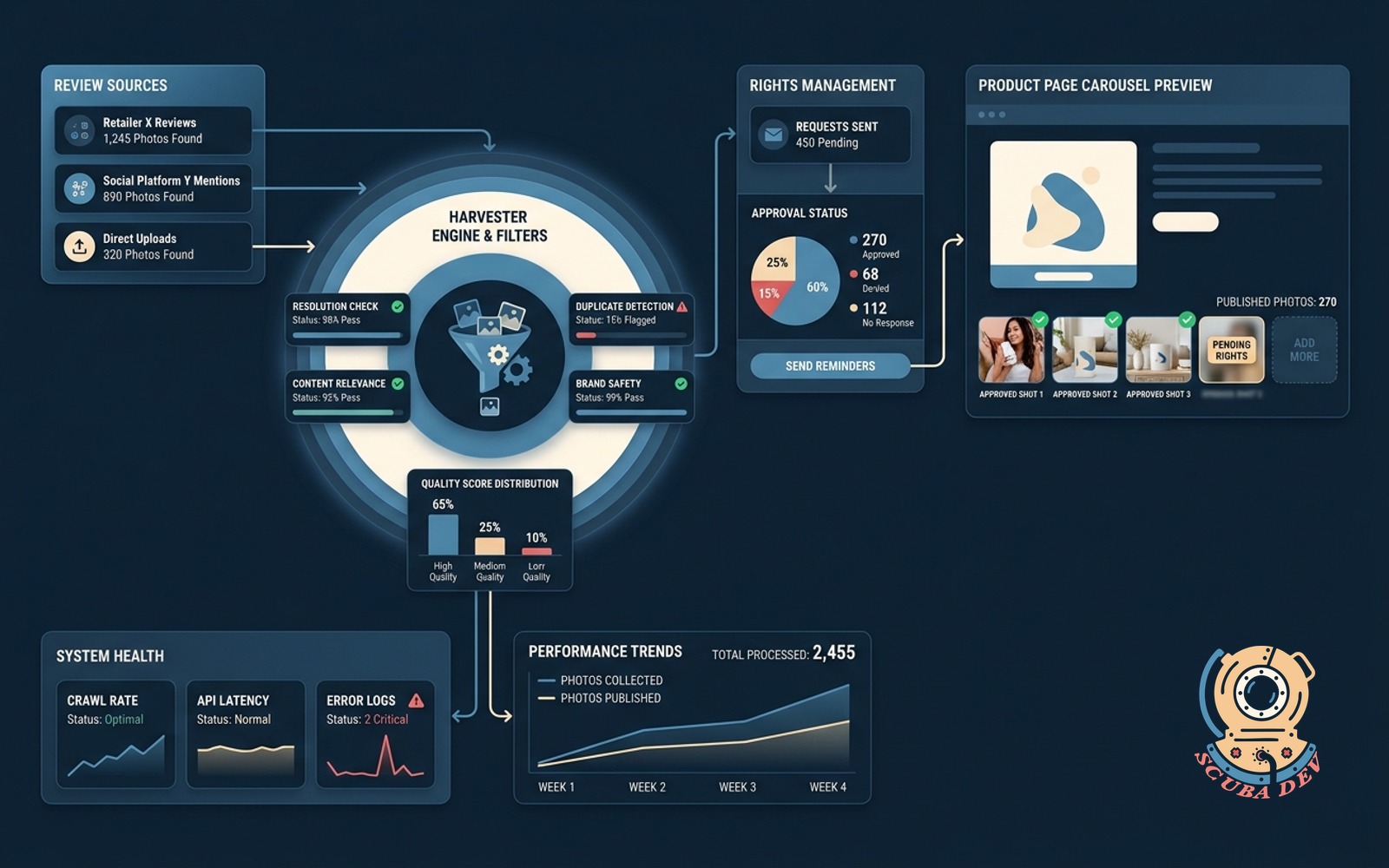
Scans reviews for customer photos, filters for quality, collects rights, and posts approved shots to the product page carousel.
Possibilities
Where this could go
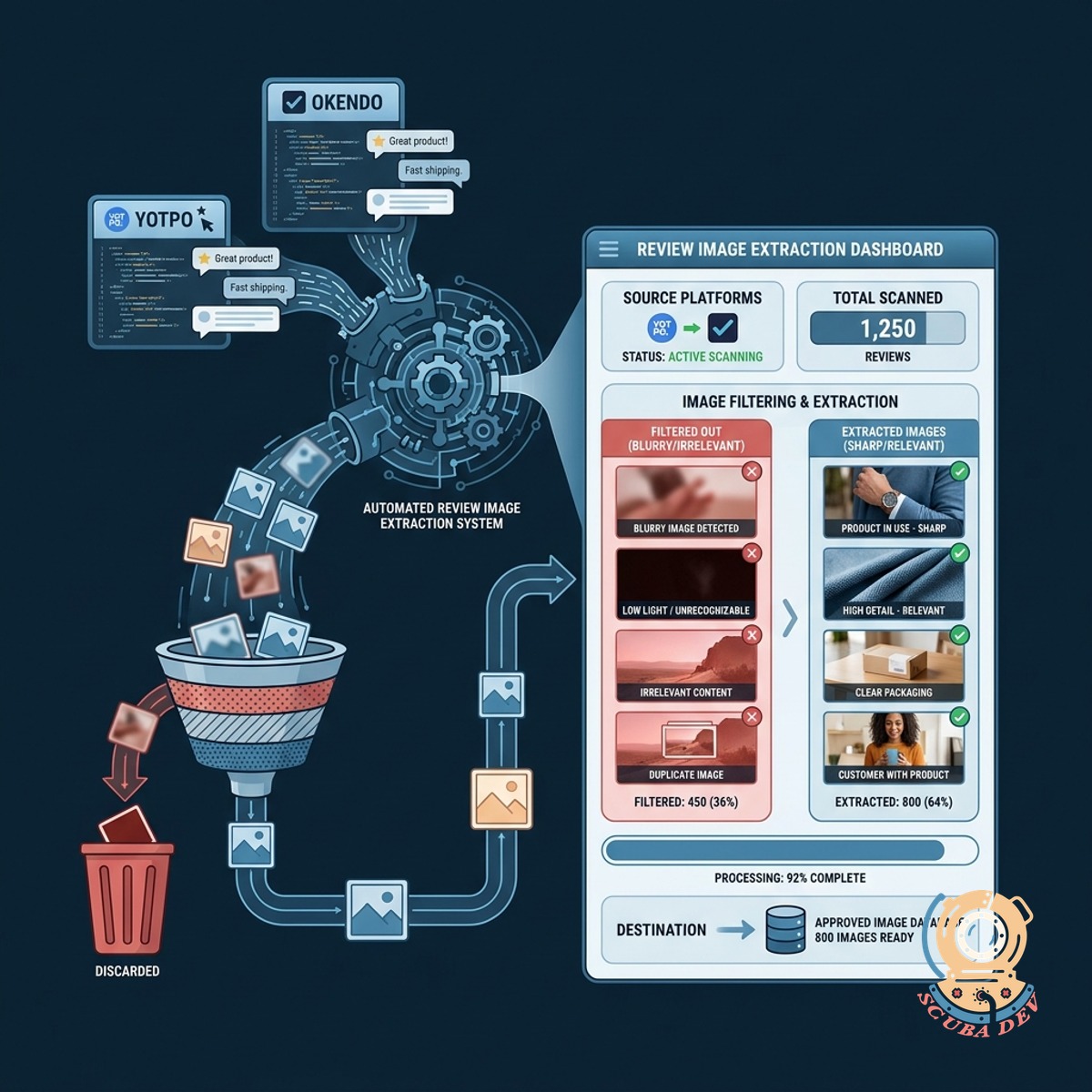
Automated Review Image Extraction
The system scans platforms like Yotpo and Okendo to find customer uploads and filters out blurry or irrelevant images automatically.
- Connects to review platforms
- Identifies user generated content
- Filters for image quality
- Flags relevant product photos

Streamlined Usage Rights Collection
It sends automated requests to customers to secure explicit permission to use their photos in your marketing materials and product pages.
- Triggers automated email requests
- Logs customer consent approvals
- Maintains compliance records
- Stores approved assets centrally
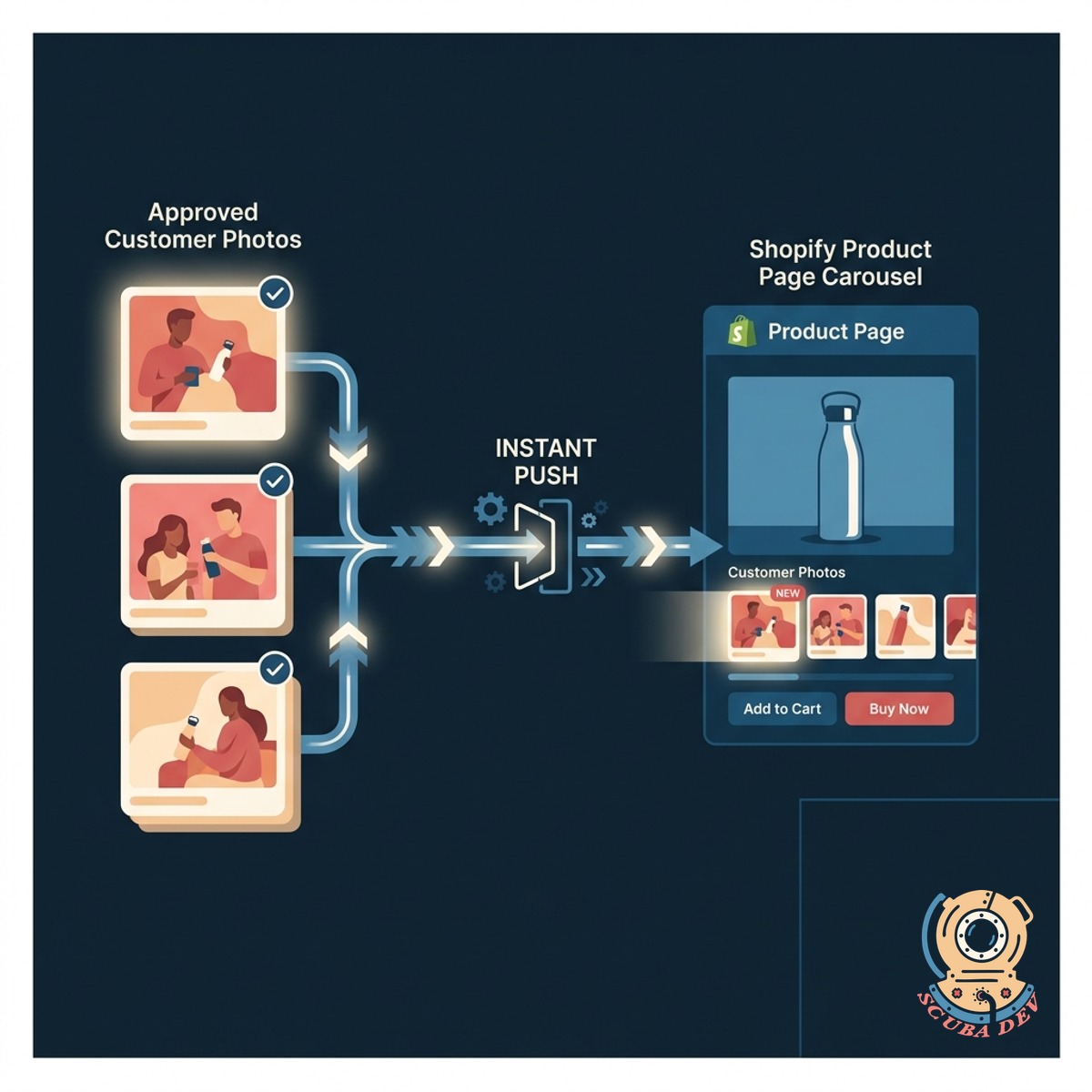
Direct Product Page Carousel Updates
Approved customer photos are instantly pushed to your Shopify product page carousels to show authentic product usage to new shoppers.
- Syncs with Shopify galleries
- Updates product carousels instantly
- Links photos to specific SKUs
- Maintains page load speeds
Questions
Things people ask
Which review platforms does this tool support?
We can integrate with major review platforms like Yotpo, Okendo, Judge.me, and Stamped to extract customer photos directly from their APIs.
How does the system determine image quality?
The tool uses image recognition software to analyze photos for resolution, lighting, and blurriness before routing them to your team for final approval.
How do we get permission from the customer?
The system automatically emails the customer who submitted the review, asking them to agree to your terms of service with a single click.
Where are the approved photos stored?
All approved images and their corresponding consent logs are saved in a centralized digital asset management folder or directly within your Shopify files.
Can we manually review the photos before they go live?
Yes. The workflow includes a mandatory staging step where your team can approve or reject the filtered photos before they are pushed to the product page.
How does the photo get added to the product carousel?
Once approved, the system uses the Shopify API to append the new image to the media gallery of the specific product SKU associated with the review.
Will adding these photos slow down my product pages?
The tool automatically resizes and compresses the customer photos to standard web formats to ensure your product pages load quickly.