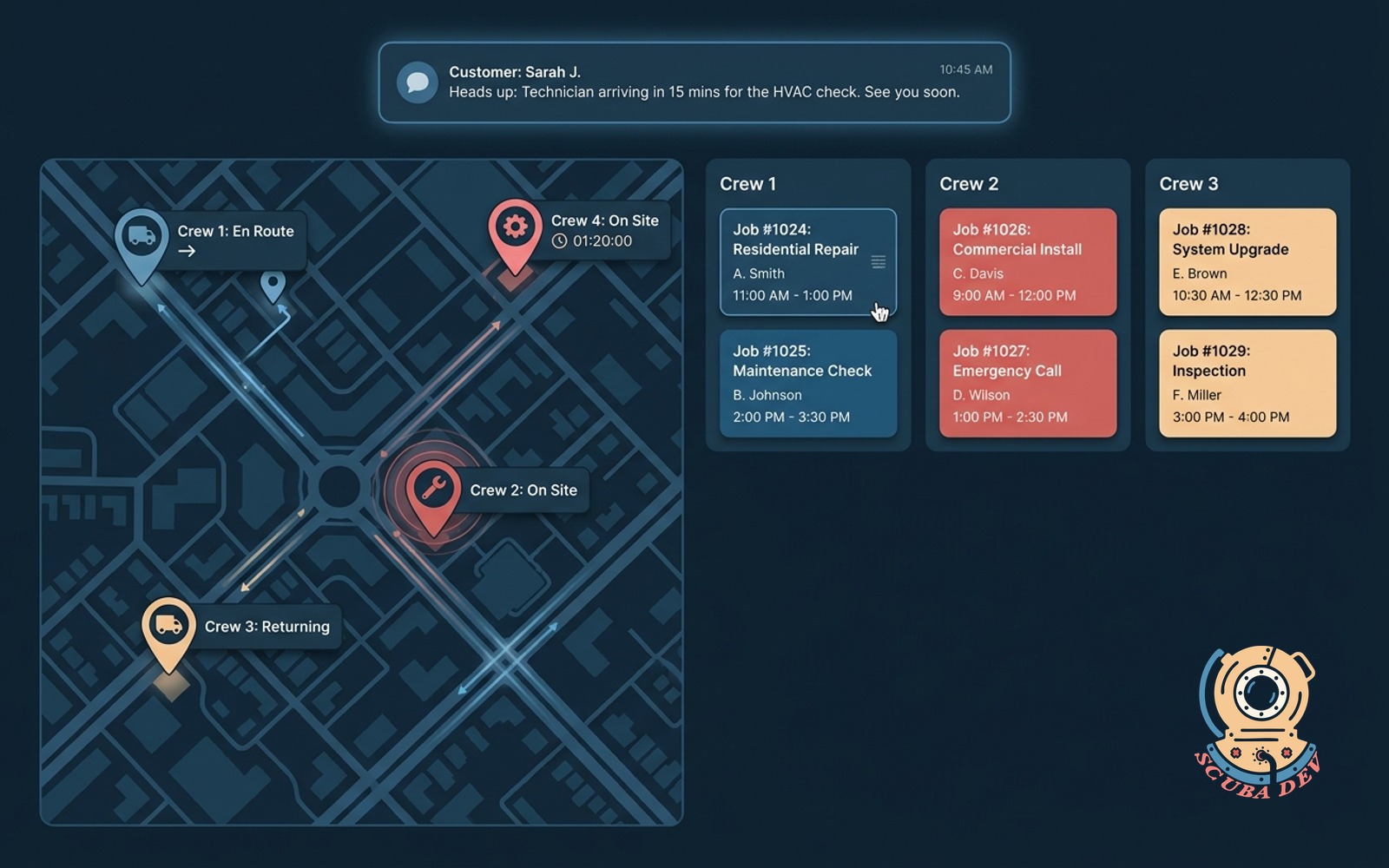
Field ops dashboard with live crew locations
Pulls GPS telematics and job records into one board. Drag jobs between crews. Auto-texts customers a heads-up before arrival.
Possibilities
Where this could go
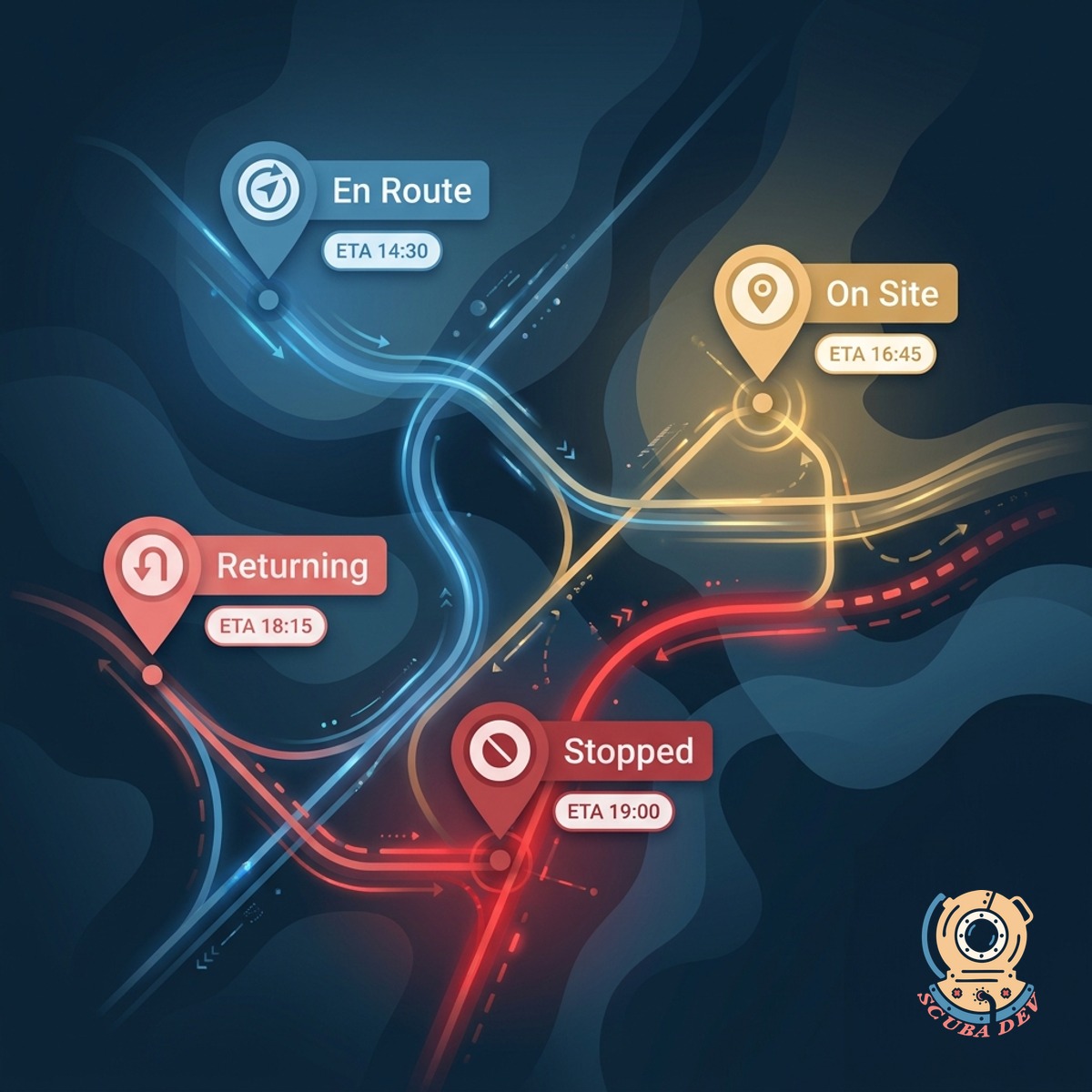
Live Crew Map
Pulls GPS from your fleet telematics into one map. You see where every crew is, where they are going, and where they are stuck.
- Works with Samsara, Geotab, Fleetio, and most telematics APIs
- Crew status: en route, on site, returning, stopped
- Traffic and ETA projection per route
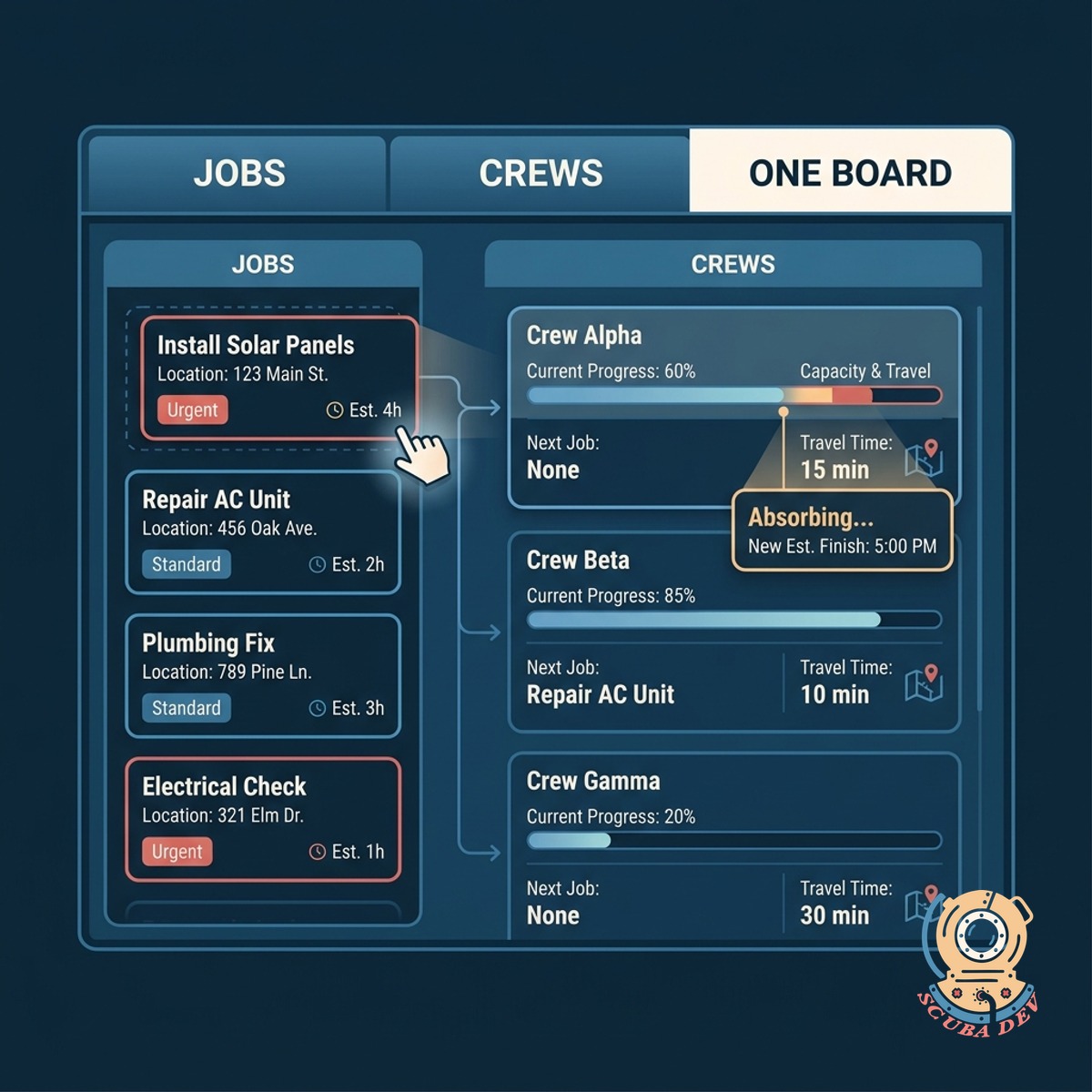
Jobs, Crews, One Board
Drag jobs between crews in real time. The board reflects what crews can absorb based on current progress and travel time.
- Drag-and-drop job assignment
- Crew capacity calculated from current progress
- Travel time included in the reassignment logic
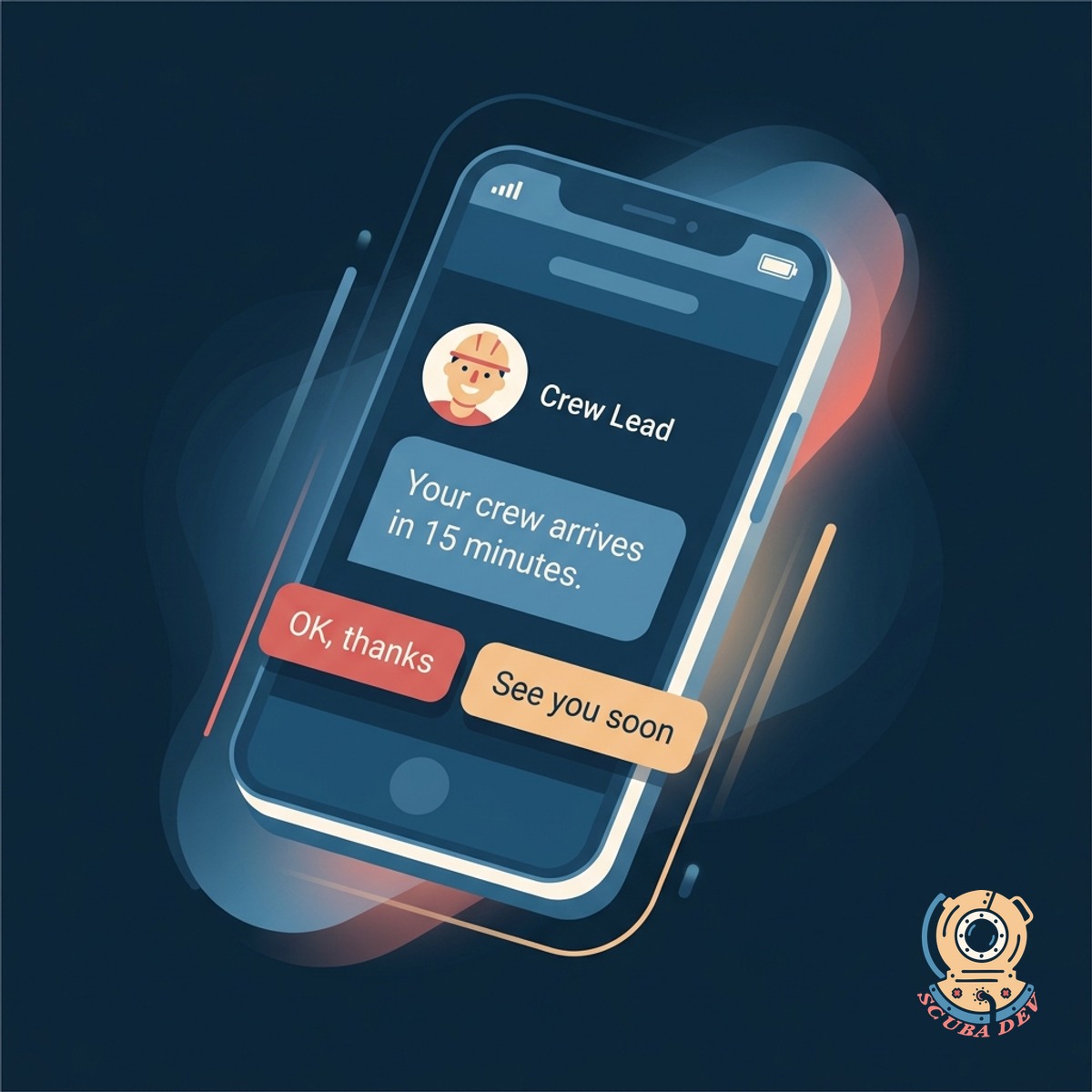
Customer Heads-Up Texts
Customers get a text before the crew arrives. Not a vague two-hour window. A real 15-minute heads-up based on actual location.
- Auto-text at the 15-minute ETA mark
- Customer can reply with gate code, dog warning, or reschedule
- Replies route to the crew and the dispatcher
Questions
Things people ask
Which telematics providers work?
Samsara, Geotab, Fleetio, Verizon Connect, Teletrac, and most providers with a REST API. Custom GPS hardware with an MQTT feed also works.
What job systems do you connect to?
ServiceTitan, Housecall Pro, Jobber, FieldEdge, Workiz, and most field service platforms. Custom scheduling tools work through an API.
Can customers opt out of the heads-up text?
Yes. Every text has a one-tap opt-out. Contact preferences also sync from your CRM so you honor existing choices.
What about multi-stop jobs?
Supported. Multi-stop routing respects service times per stop, supply pickup stops, and customer-specific windows. Dispatcher sees the full day plan and can drag stops between crews.
How are ETAs calculated?
Current GPS position plus current traffic plus average on-site time for that crew and job type. Accuracy improves over the first month as the model learns your crews.
What if a crew truck goes offline?
Last known location is shown with a time-since-ping indicator. If offline more than ten minutes during active work, the dispatcher gets an alert.
Does this replace our dispatcher?
No. It gives the dispatcher a real-time tool. Most dispatchers handle 20 to 40 percent more jobs per day after turning it on. The job still needs a human call.