




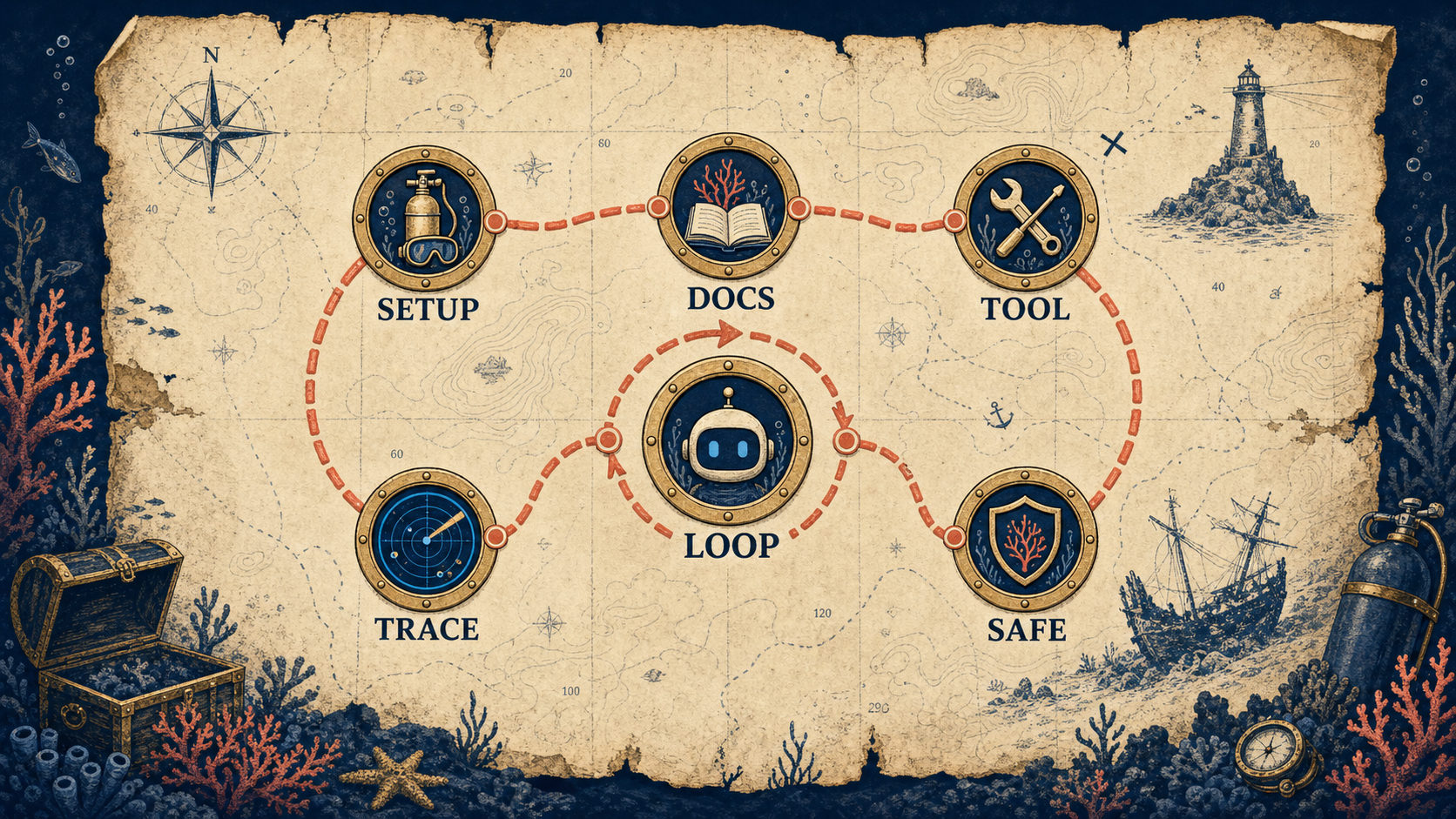
An AI agent is a loop, not a magic category. The model decides it needs a tool, your code runs that tool, and the result goes back into the model until the job is done.
This walkthrough turns that idea into a working docs-reading support agent, then hardens it with traces, caps, retries, and a production checklist.
Below the surface
This is the walkthrough we run with clients before anyone argues about frameworks. Ninety minutes, one terminal, one API key, one small documentation store, and one business question.
The code shape is deliberately plain. Build the raw loop first, watch where it fails, then decide whether LangChain, LlamaIndex, n8n, or a custom service earns a place in the stack.


By the numbers
The minimum useful agent shape
Build window
90 min
Enough time to wire a docs store, tool schema, loop, and first trace.
Core abstraction
1 loop
The model asks for tools, your code executes, and the result returns.
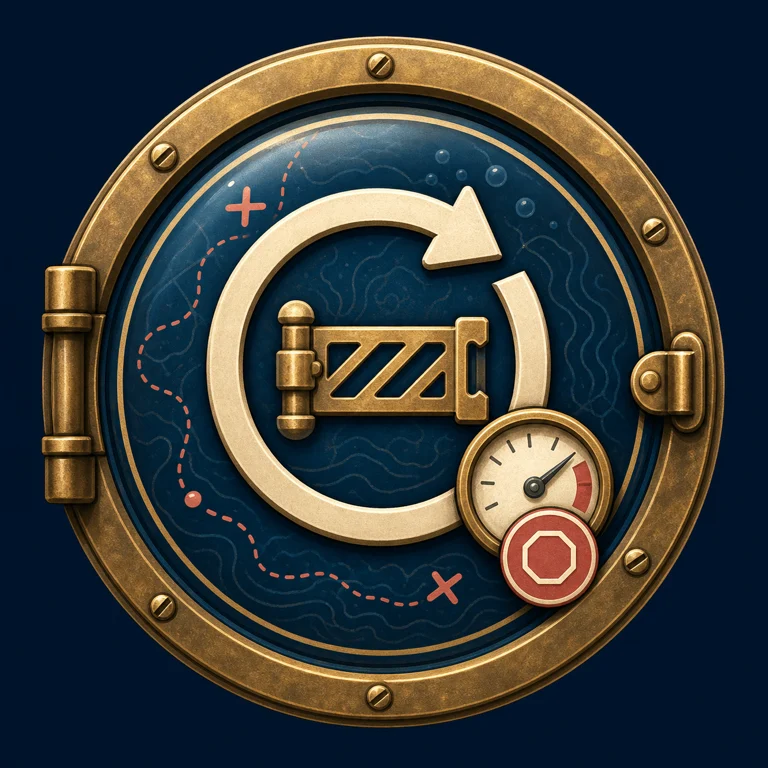
Runaway guard
8 turns
The draft cap that converts circular behavior into a logged failure.
Failure modes
5
Tool skipping, loops, token blowout, silent failures, and false citations.





The 90-minute build is four concrete pieces
The handoff visual for this sequence was a local SVG render, so the source-backed steps are preserved as an approved row module instead of an infographic stand-in.
- 01
Set up the shell
Create a Python 3.11 environment, install the SDK, set the API key, and keep the first docs file tiny enough to inspect by hand.
- 02
Load a docs store
Start with three JSON records. The goal is not search quality yet, it is proving that answers come from a source the loop can cite.
- 03
Define the tool schema
The model sees the name, description, and JSON schema. Your application owns the actual function call and result shape.
- 04
Run the loop
Append the assistant tool request, execute the tool, append a tool result, and repeat until the model ends the turn.


Three production blueprints that use this loop
The tutorial agent is the smallest useful version of the same pattern already mapped in the ScubaDev ideas library: docs retrieval, voice scheduling, and mention monitoring.
-
01 / In-app AI help that reads your docs
Users ask questions in the app. The AI answers from actual product docs. Unanswered questions flow to support.
EffortMomentum, 2 to 3 weeksPatternDocs-reading support agentStackRetrieval over docs + LLM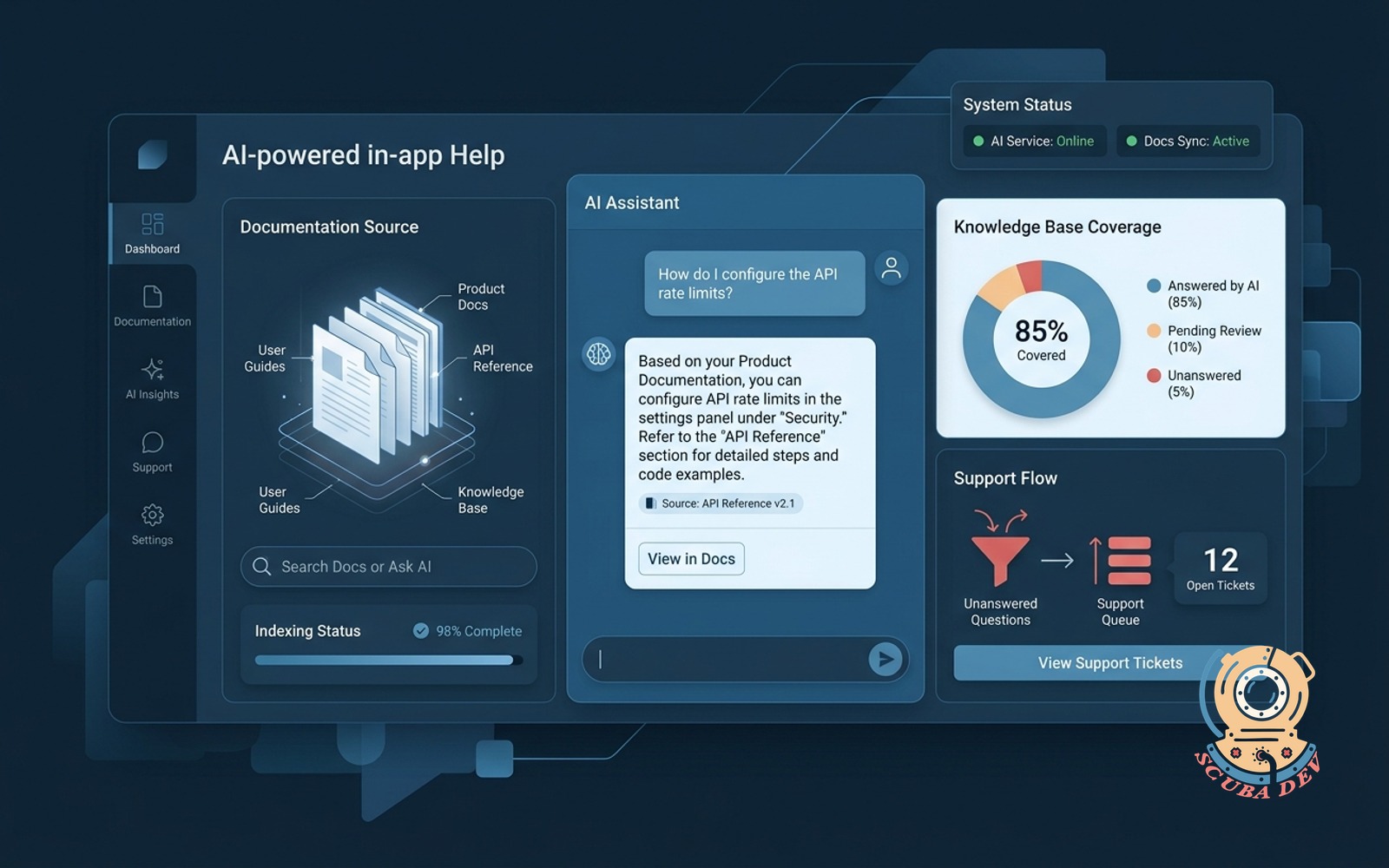
This is the production version of the tutorial build: search a trusted docs store, return a cited answer, and log unanswered questions instead of guessing.
-
02 / Voice-first booking agent
Answers the phone, reads team calendars, books the right service, and sends a confirmation text.
EffortDepth, 4 to 6 weeksPatternSwap search for calendar toolsStackRetell or Vapi + Twilio + Claude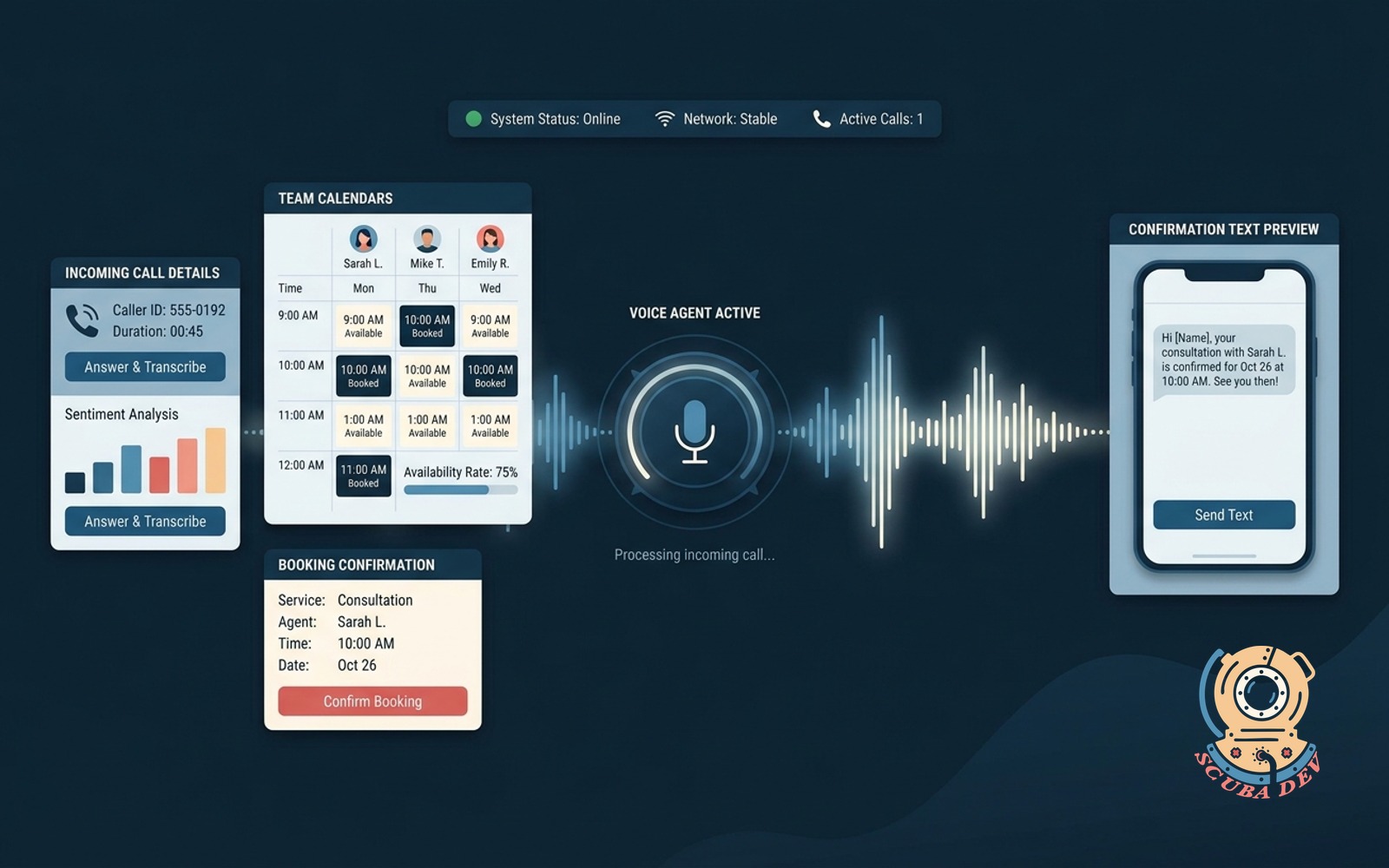
The loop stays the same. The tool contract changes from document search to calendar availability, service qualification, booking, and confirmation.
-
03 / Brand mention agent with sentiment
Watches the web and social for your brand. Summarizes daily and flags negative mentions for response.
EffortMomentum, 2 to 3 weeksPatternSwap search for mention queriesStackn8n + custom classifier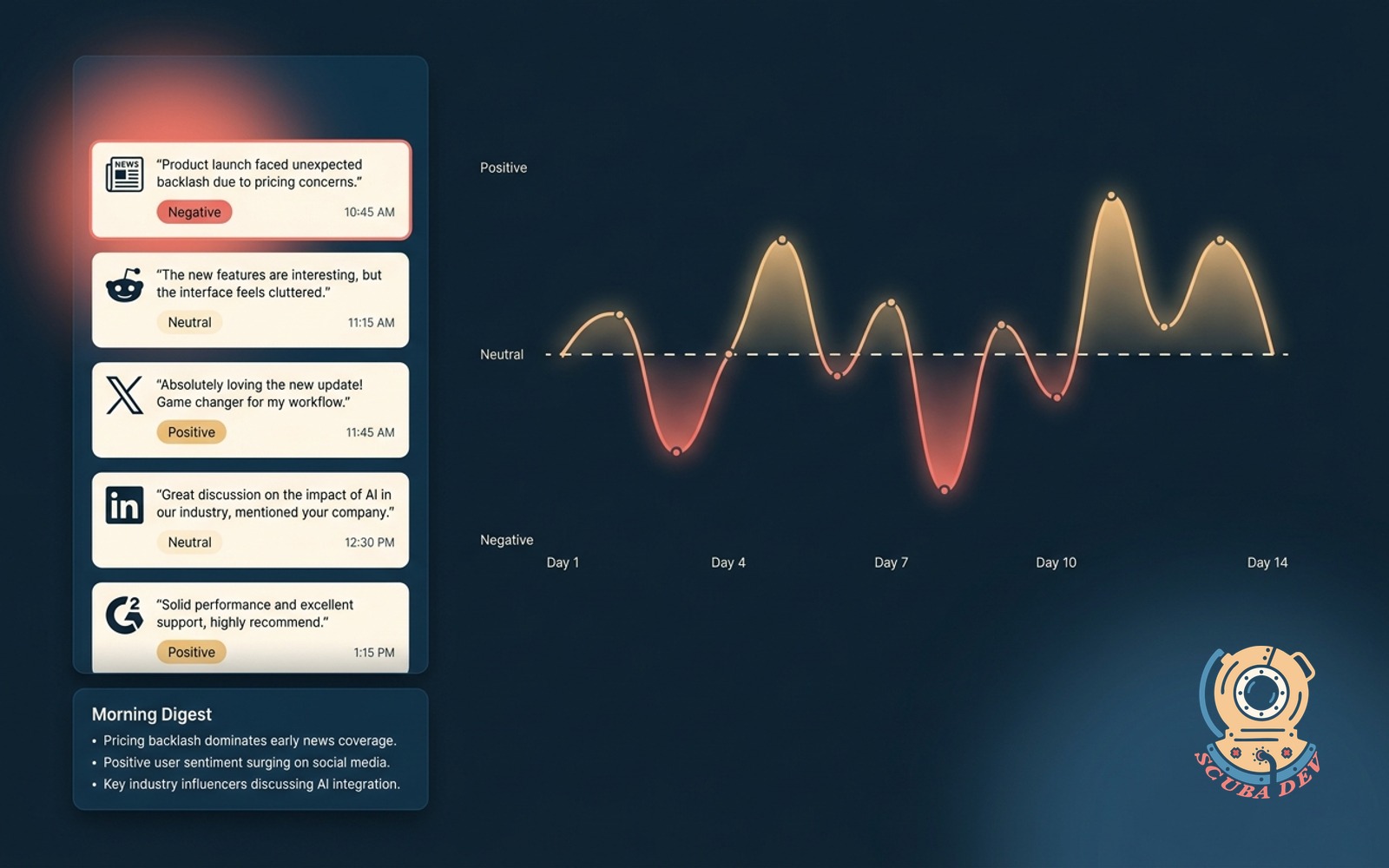
This version points the same agent loop at Brand24, Mention.com, or a social listening feed, then routes the result through a sentiment classifier.



04 / The loop
The agent is the loop plus the contract
The tool description is the onboarding doc for the model. Make it explicit enough that the model knows when to search, when to stop, and what evidence it must cite.
- 01
Model requests a tool
When the model returns a tool-use block, your code stores the assistant message instead of trying to answer immediately.
- 02
Application executes search
The tutorial uses keyword overlap. Production swaps that function for embedding search against Postgres with pgvector or a managed vector store.
- 03
Trace the full exchange
Record question, tool name, query, result count, elapsed time, and token usage so the first failures are debuggable.



05 / Hardening
The code works before the agent is production-safe
The hard parts are tool boundaries, observability, graceful exits, and the habit of reviewing traces. The checklist is rendered as text because no approved ImageGen treasure-map replacement exists for this handoff section.
- 01
Add observability
Return a trace object with steps, elapsed time, answer text, token usage, and any unexpected stop reason.
- 02
Cap iterations
A maximum of eight turns keeps ambiguous questions from becoming runaway cost or a stuck user session.
- 03
Retry transient API failures
Retry 429 and 5xx responses with exponential backoff, then fail loudly enough that the trace tells the truth.
- 04
Scope dangerous tools
A search tool can answer. A billing, email, calendar, or data-write tool needs explicit policy and often human approval.

Five additions before this ships to users
This is the line between a tutorial and a customer-facing agent.
- 01
Rate limiting
Limit by user and by day so one abusive session cannot burn the budget.
- 02
Evaluation set
Keep 50 expected-answer questions and run them every time prompts, tools, or models change.
- 03
Human approval gates
Refunds, billing, compliance, and data writes should route through approval instead of final autonomous action.
- 04
Fallback path
When the model API or tool backend is down, the user still needs a plain support path.
- 05
Weekly trace review
The system improves only if someone reviews gaps, failed searches, token spikes, and unsafe tool requests.



FAQ
Can I use OpenAI instead of Claude?
A: Yes. The tool-use JSON shape differs, but the loop pattern is the same.
Do I need LangChain or LlamaIndex?
A: No. Build the raw loop first. Add a framework only when the lack of one is slowing you down.
Can I build this with n8n?
A: Yes. n8n has native Anthropic nodes, Postgres nodes, and loop constructs, which can be enough for business-logic agents.
How do I prevent prompt injection?
A: Scope the tool surface tightly. Dangerous capabilities need explicit human approval gates.
What if the agent needs persistent memory?
A: Persist the message trace to Postgres, reload it at the next session, and cap history so context does not grow forever.
Can a non-technical founder build this?
A: With help, yes for a simple version. Production agents are still real engineering work.