Support ticket form with classifier
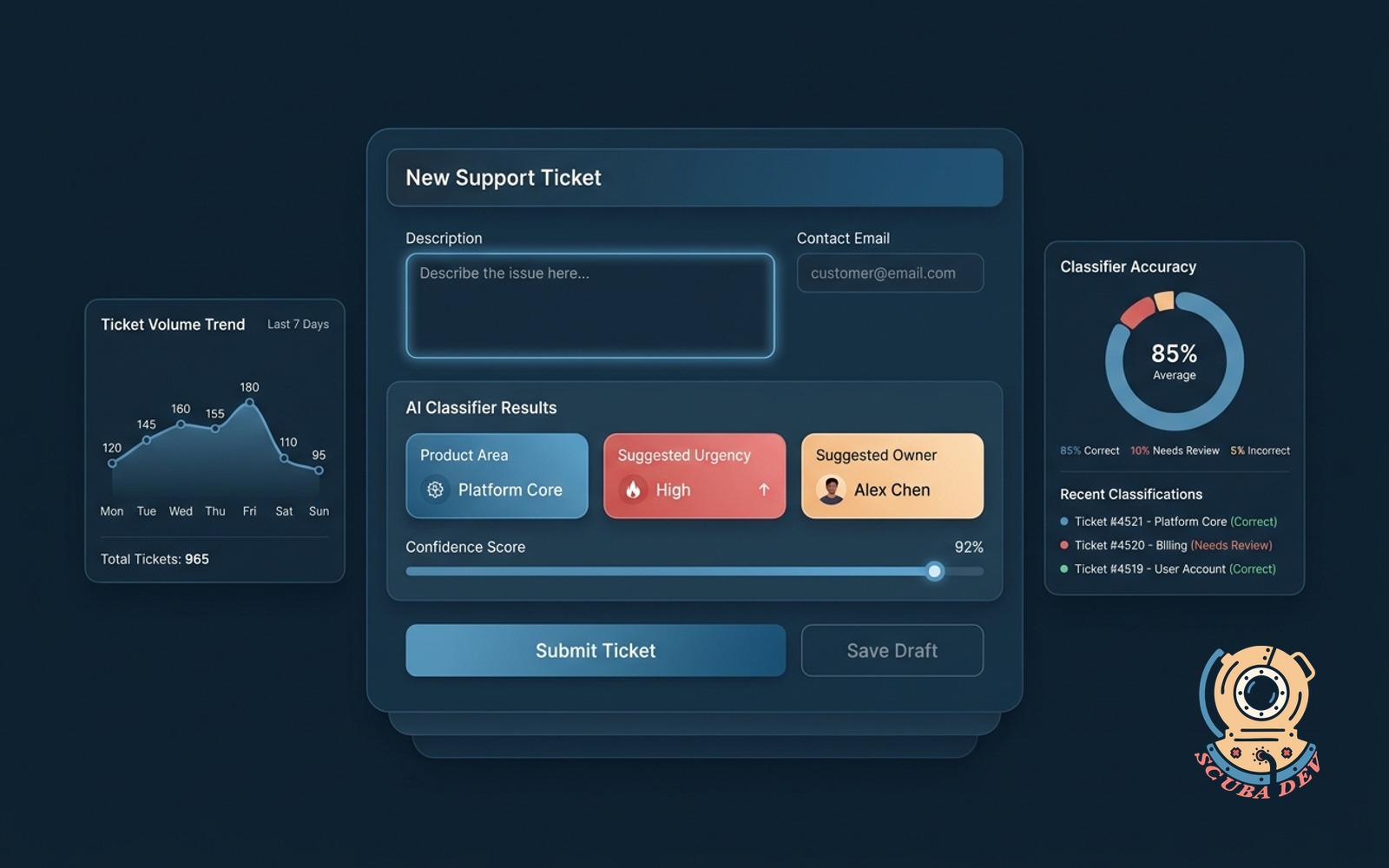
Customer writes the issue, the form tags product area, urgency and suggested owner before it submits.
Possibilities
Where this could go
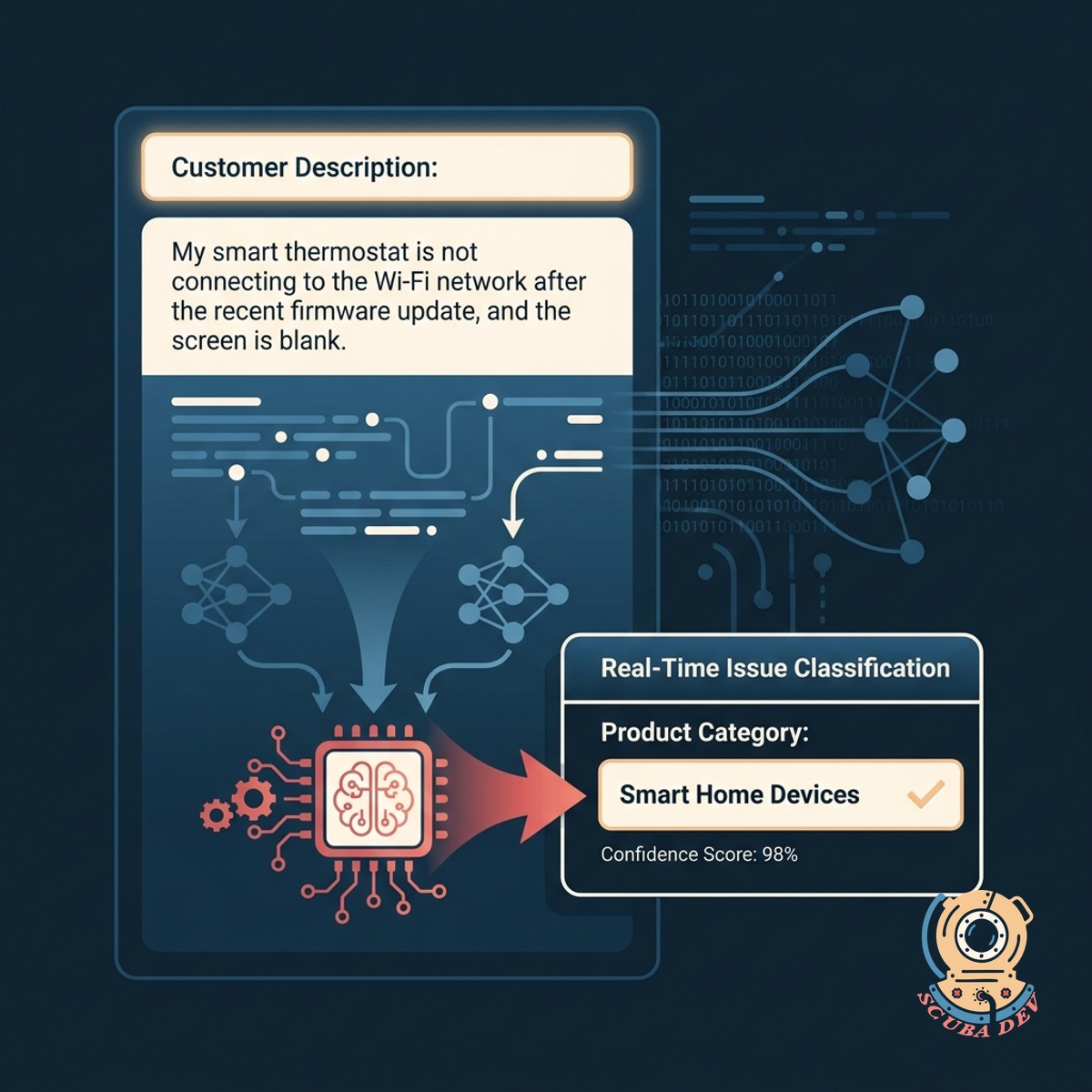
Real-Time Issue Classification
As the customer types their request, the form automatically categorizes the ticket into the correct product area.
- Scans customer text input to identify keywords and product names.
- Maps the identified issue to your predefined support categories.
- Appends hidden metadata tags to the ticket payload before submission.
- Allows customers to manually override the suggested category if needed.
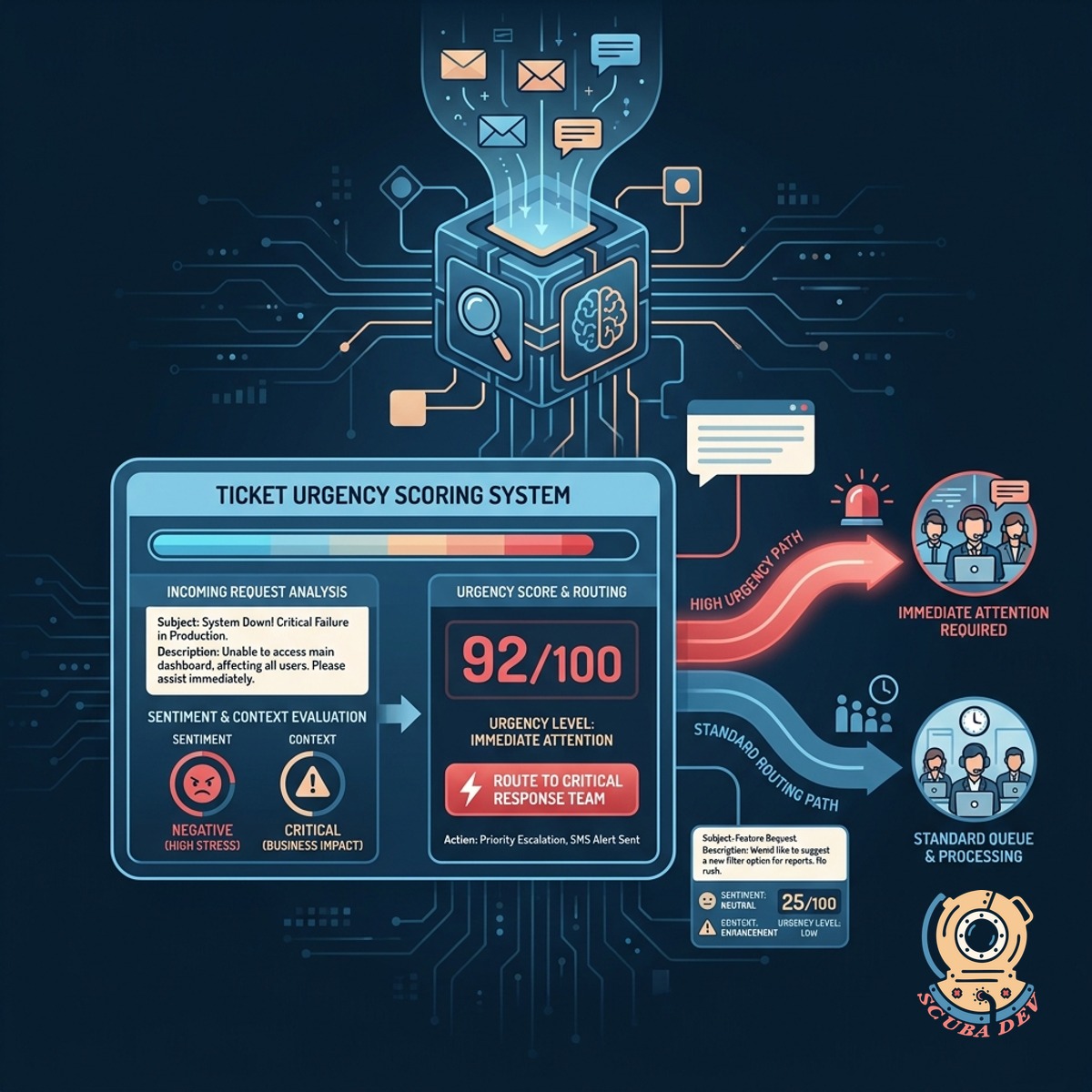
Automated Ticket Urgency Scoring
The system evaluates the sentiment and context of the request to determine if the issue requires immediate attention or standard routing.
- Detects critical keywords
- Evaluates customer sentiment
- Flags system outages
- Prioritizes the queue
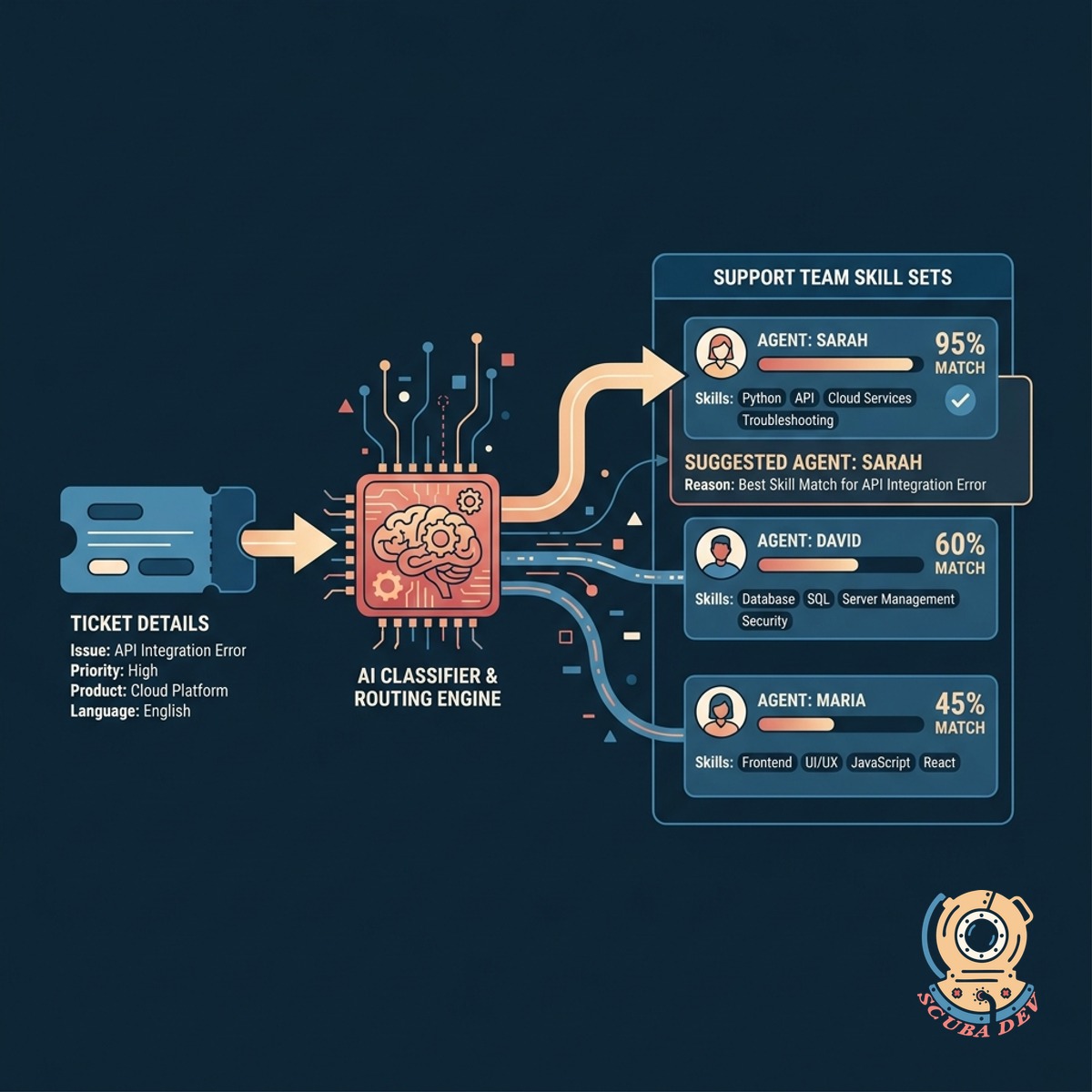
Intelligent Support Owner Routing
The classifier matches the ticket details with the skill sets of your support team to suggest the most qualified agent for the job.
- Reads agent profiles to understand individual technical specialties.
- Assigns the ticket to the available agent with the most relevant experience.
- Bypasses standard round robin queues for highly specialized technical issues.
- Updates the assigned owner field directly in your helpdesk system.
Questions
Things people ask
How does the form know which product area to tag?
We connect the form to an AI model like OpenAI or Anthropic. The model reads the customer input and matches it against a predefined list of your product areas.
Can it integrate with our existing helpdesk software?
Yes. The classifier processes the data before submission and then sends the fully tagged ticket directly to platforms like Zendesk, Intercom, or Jira Service Management via their APIs.
What happens if the classifier makes a mistake?
The tags are applied as suggestions or initial routing steps. Your support agents can always review and update the product area, urgency, or owner manually within your helpdesk.
How does it determine the urgency of a ticket?
The system looks for specific keywords, phrases, and overall sentiment. Words indicating a complete system failure or a blocked workflow trigger a higher urgency score.
Does this slow down the form submission process for the customer?
We connect the classifier directly to your existing helpdesk API. If the system cannot confidently determine the correct tags, it routes the ticket to a general triage queue. This ensures your team never loses a customer request due to ambiguous text.
How do we define the rules for suggesting an owner?
We map your team members to specific product areas or issue types. When the form identifies the category, it cross-references that mapping to assign the right person.
Is the customer data secure during the classification process?
Yes. We use secure API connections to process the text. We also configure the AI providers to ensure your customer data is not used to train public models.